Home   |  Products   |  Download   |  Purchase   |  Support   |  Resources   |  Company   |  Contacts   |  Service   |  Forum    
Colasoft Capsa
        Overview
        Features
        Edition Differences
        Updates
        System Requirements
        How to
        Case Studies
        Awards
        User Testimonials
        End-User License Agreement
  Product Help
        View Online
        Download File
  Documentation
         User Manual
         Datasheet
         Technical Specification
         Getting Started
         Whitepaper
Colasoft Products
    Colasoft Capsa
    Colasoft MAC Scanner
    Colasoft MSN Monitor
    Colasoft Etherlook
    Colasoft IM Monitor
    Colasoft Packet Builder
    Colasoft Packet Player
    Colasoft Ping Tool

Feedback

Pre-Sales Toll Free:
888 - 467 - 2634(USA)
Generate Real-time Report with Colasoft Capsa

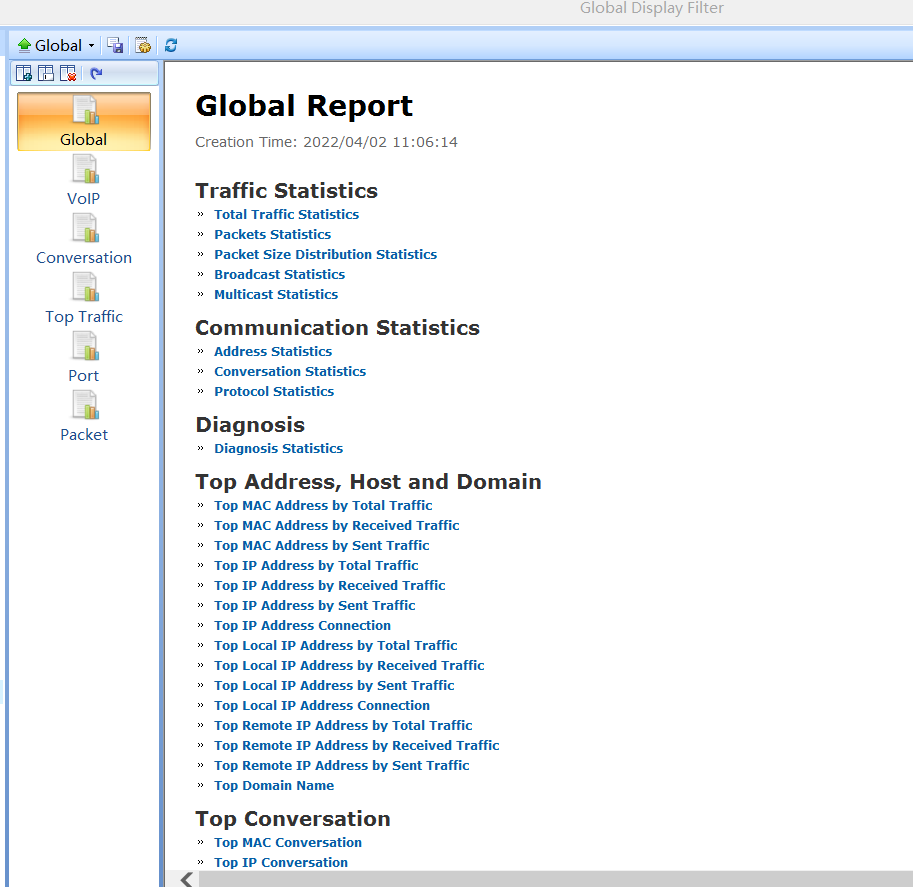
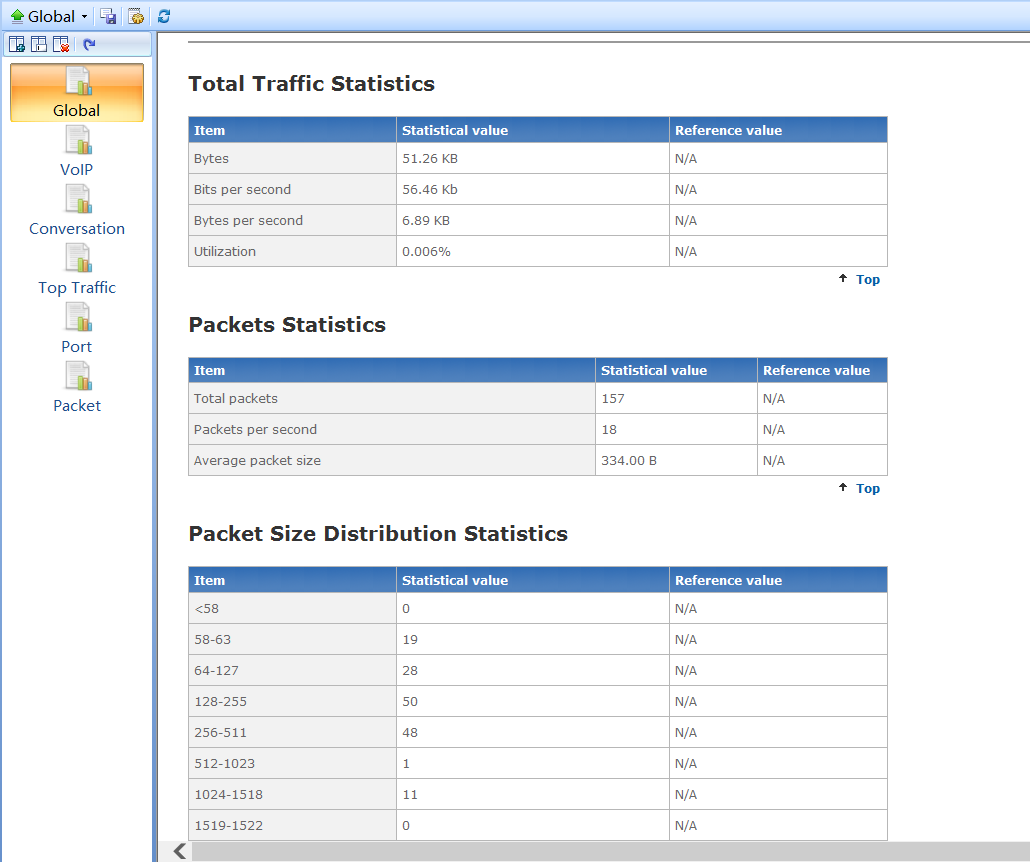
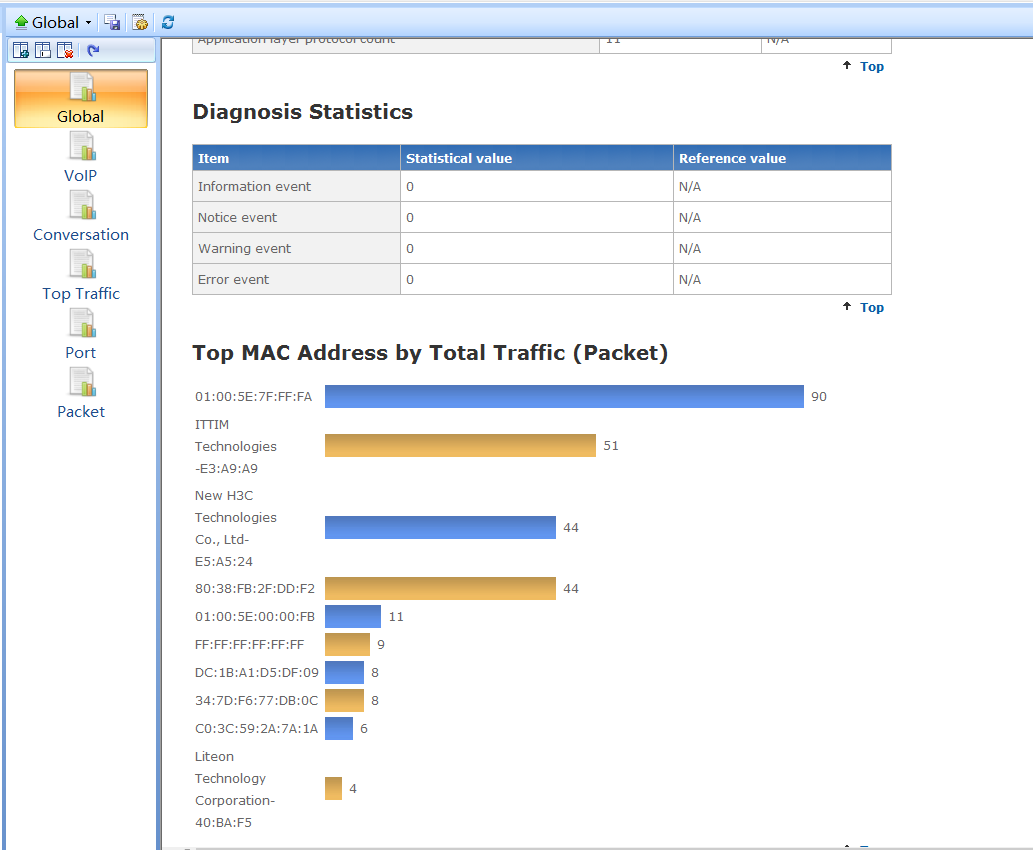
Colasoft Capsa not only supports you to monitor and analyze your network, troubleshoot network problems, but also supports you to generate real-time reports of global network or a specific network group.

By default, this report will show eight items:


Images corresponding to those items are shown as below:

Above is a report of the global network, to generate a report of a specific network group you can select a group name in Project Explorer, and the Reports view will displayed the corresponding statistic reports. Please see the following pictures:


(Report of the global network)


(Report of 192.168.0.0/24)

With this Reports View, you can not only generate an intuitive report of the network, but also get a quick view of the network status.


Copyright © 2008 Colasoft Co., Ltd. All rights reserved.
Colasoft, Capsa and Colasoft logos are registered trademarks of Colasoft Co., Ltd. Sniffer is a registered trademark of Network General Corporation. All other names are trademarks or registered trademarks of their respective owners.
Terms of Use |  Privacy Statement |  Feedback |  Contacts |  Links |  Sitemap