 Licensed enterprise users are entitled to obtain higher priority of technical supports from Colasoft and we also offer supports to free users.
For common questions, you can find answers in our Knowledge Base.
If you meet a problem when using the program and cannot solve it after referring to this manual and other materials on Colasoft website, you may enquire local agent for more advice or contact Colasoft support team.
Licensed enterprise users are entitled to obtain higher priority of technical supports from Colasoft and we also offer supports to free users.
In addition to up-to-date FAQ and Glossary, there is version upgrade information and public resources relevant to Colasoft Capsa available at http://www.colasoft.com.
You are welcome to contact us at support@colasoft.com with technical questions at any time, We will reply you as quickly as possible. In your email please include the serial number, product version and edition, Windows' OS, detailed problem description and other relevant information.
We have a large group of Free edition users and we don't directly provide support
for free uses via email. If you are using the Free
edition, please post your questions at our partner Network
Analysis Community
for help, where you can get help and assist from
other Free users quickly.
To receive a quick answer to your emergent technical problem, you can fax us at: (86) 28-85120911.
Please include the serial number, product version and edition, Windows' OS, detailed problem description and other relevant information.
To get our support, provide your suggestions and discuss our products with other users, please join our Official Support Forum, or our partner Network Analysis Community for free users.
When program crashed, Capsa generates a dump file which contains the import information of the causes of the problem, and shows a crash report message box. The dump file tells us where the problem comes from and helps us improve our product. Please click Send Report to send the dump file to us. Or, if you have no access to internet, please click Save to Local to save the report and send the dump file to us via email. The following figure is a crash report message box:
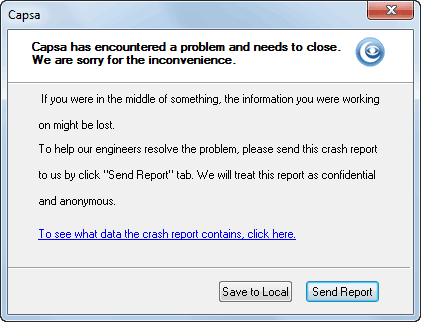
If you do not see the crash report message box, or you want to report other problems to us, please include the following information:
You can press F1 for context-sensitive help at any time when
the program is active.
| Back |