|
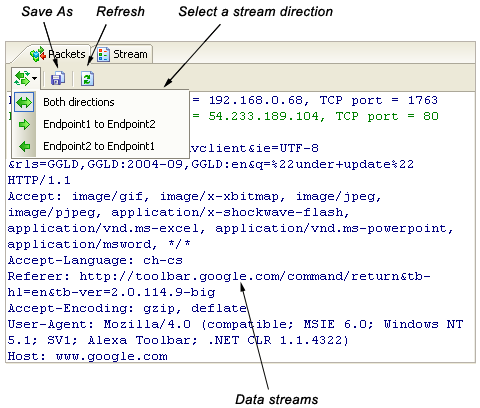
From this view, you can see the reconstructed data streams of the selected
conversation. The data streams of different directions can be distinguished by color, e.g. blue is for endpoint 1 to endpoint 2, green is for endpoint 2 to endpoint 1.
By default, the data streams are showed as ASCII. You can change the display to EBCDIC with a right click in the view and select the Show as EBCDIC command from the context menu. |