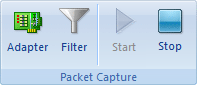
Colasoft Capsa captures packets from adapters of your machine. If you want to start a Capture analysis project, you need to choose at least one adapter from the Network Adapter list.
You can open the Network Adapter dialog through the following:
 Change source adapters during a project will restart the capture.
The Network Adapter dialog appears as follows:

Colasoft Capsa supports Ethernet Card and multiple adapters. You can analyze and monitor network from more than one adapters.
The Network Adapter dialog contains the following two parts:
|
Back |
| Copyright © 2001 - 2010 Colasoft. All rights reserved. |