|
The Format dialog let you customize the format of data display.
You can define the formats for data display,
including decimal places of normal number, decimal places of percentage,
byte format, bit format, bytes per second format and bits per second
format.
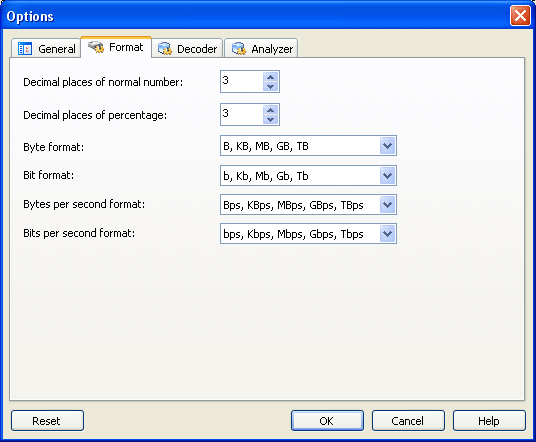
- Decimal places of normal number
The display precision of a number. You can customize the
decimal places though the thousandth in default.
- Decimal places of percentage
The display precision of a percentage. You can customize the decimal
places though the thousandth in default.
- Byte format
By default, Colasoft Capsa displays packets sizes and the traffic in
an appropriate byte unit, such as B, KB, MB,
GB, or TB. Which unit is selected depends on how large
each packet or the current traffic is. Users can define the unit
from the combo box.
- Bit format
By default, Colasoft Capsa displays packets sizes and the
traffic in an appropriate bit unit, such as b, kb,
Mb, Gb or Tb. Which unit is selected depends on
how large each packet or the current traffic is. Users can define
the unit from the combo box.
- Bytes per second format
Rate at which bits of information are transmitted. Colasoft
Capsa displays the rate of information in an appropriate unit, such
as Bps, KBps, MBps, GBps or TBps.
Users can define a display format from the combo box.
- Bits per second format
Rate at which bits of information are transmitted. Colasoft
Capsa displays the rate of information in an appropriate unit, such
as bps, Kbps, Mbps, Gbps or Tbps. Users can define a display
format from the combo box.
|