|
The logs in
Colasoft Capsa can record global or scope-specific network events, containing
four types of log primarily generated by the advanced analyzers: HTTP requests, email messages, FTP transfers, DNS analysis
and four instant messenger activities: MSN activity, AIM activity,
ICQ activities, and Yahoo Messenger Activities. Colasoft Capsa enables all logs by default, you can change each log's settings in the Project Settings - Log page. If a log is disabled, you will not see the results in the Logs view.
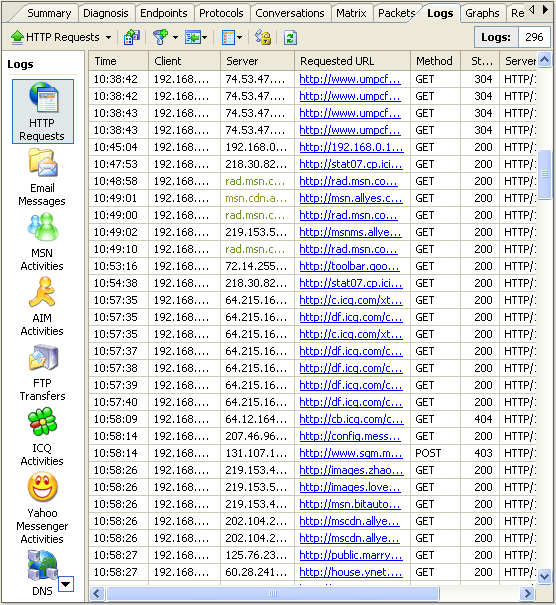
- HTTP Requests view - presents the information of captured web accesses. You can open a URL with double clicks on it or use the Open command from the context menu.
- Email Messages view - lists captured emails and such information as client, server, sender name, receiver name, etc.... To view the reconstructed contents of email, just double click the selection to open it with your email client, or use the Open command from the context menu.
Note: Captured emails may contain virus, please be cautious when you open an email.
- FTP Transfers view - offers the records of FTP uploads
and downloads.
- DNS Analysis view – presents the analysis results of DNS
requests and replies.
- MSN Activity view - offers the records of MSN activities.
- AIM Activity view - offers the records of AIM activities.
- ICQ Activity view - offers the records of ICQ activities.
- Yahoo Messenger Activity view - offers the records of Yahoo Messenger activities.
|
|