There are four Matrix Type items by default:
The Matrix Type pane contains the following parts:
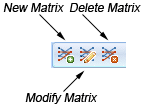
The following table lists all the icons on the toolbar:
| New Matrix | Click to create a new matrix type |
| Modify Matrix | Click to modify the properties of the selected matrix type. |
| Delete Matrix | Click to delete the selected matrix type. |
The Matrix Type Properties dialog appears when you create a new matrix type or modify a matrix type. It contains the following items:
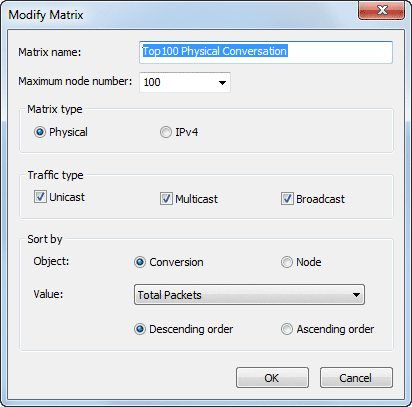
| Matrix Name | Auto-generates Matrix name on your options by default format: "Top" + Maximum Node + Matrix Type + Conversaton/Node. Also you can enter any name you want to. |
| Maximum Node | Sets the max node number of the Matrix. |
| Matrix Type | Chooses a matrix type: Physical Address and IPv4 (default). |
| Traffic Type | Chooses a traffic type: Unicast, Multicast or Broadcast. |
| Sort By | Sets the sorting rules:
|
|
Back |
| Copyright © 2001 - 2010 Colasoft. All rights reserved. |