An Easy to Use Packet Sniffer
Packet Sniffing & Packet Decoding
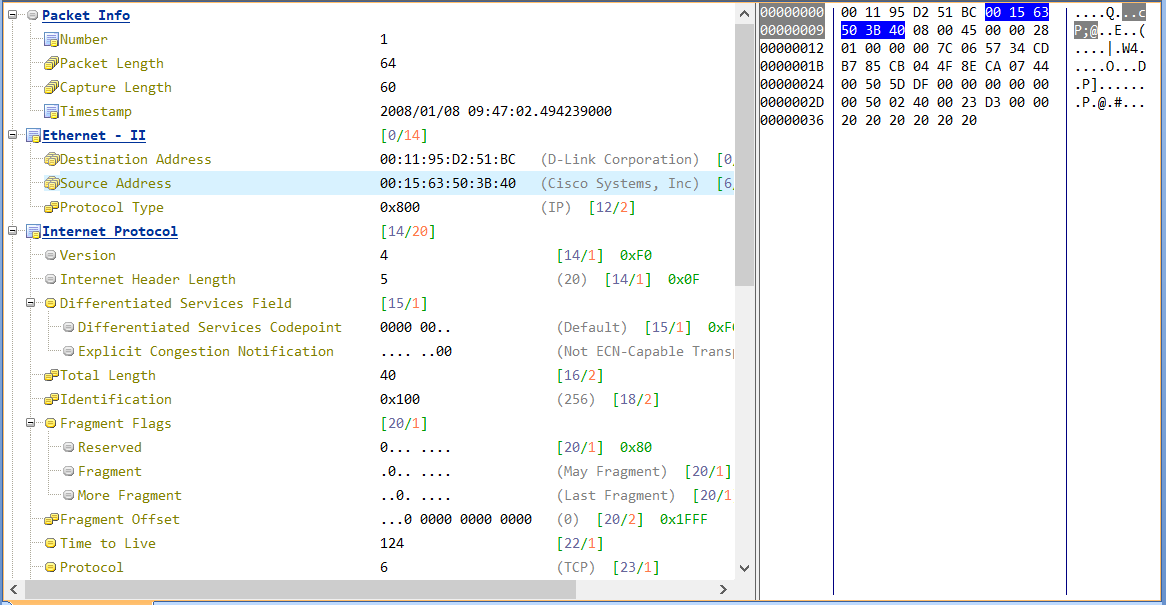
As a packet sniffer, Capsa is able to capture all network packets transmitted on network and displays detailed packet decoding information in Hex, ASCII and EBCDIC. This page will describe how to view packet decoding information in Capsa "Packets" View.
Why Bother Decoding Packets?
Packet is the smallest unit in network transmission. It will tell all about the purpose of the packet, source and destination, content and more. Packet decoding information helps to look through the packets themselves, which is very useful in troubleshooting network to track down security vulnerability or learning more knowledge about protocols and network services.
View Packet Information in the Packet Tab
- Packet List
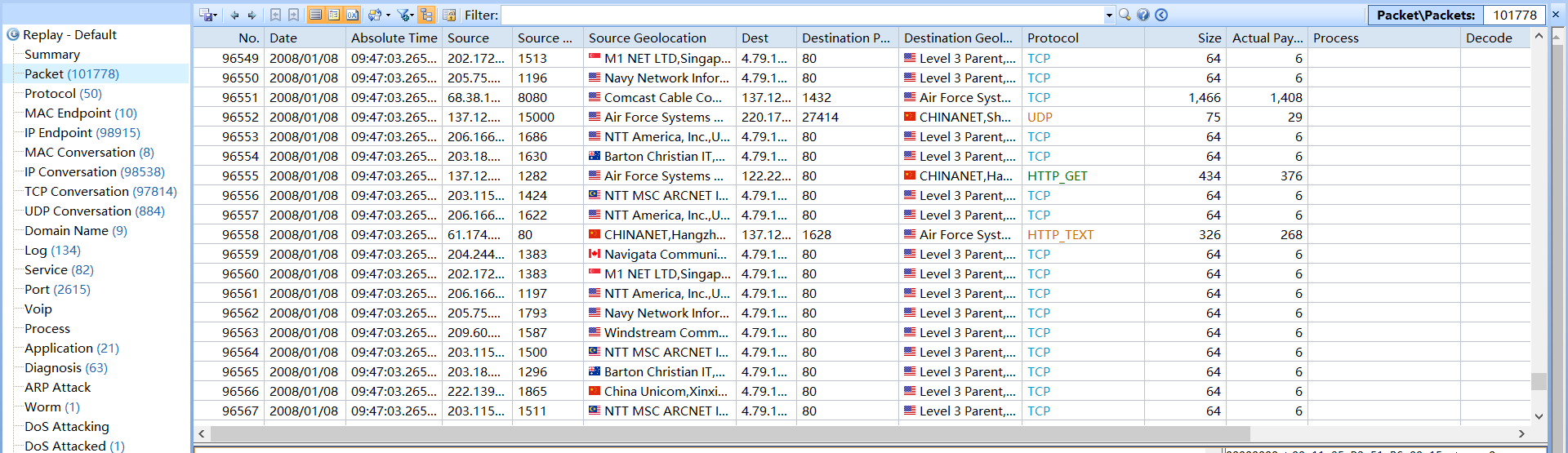
The packet list table offers the list of packets captured in real-time and the general information of each packet.
- Packet Decoding
When selecting a packet item from the packet list, the packet decoding information will be displayed under in Hex, ASCII and EBCDIC.