
Capsa Portable Network Analyzer
Capsa Portable Network Analyzer
Monitor, Analyze, Troubleshoot your Wired & Wireless Network
Capsa, a portable network performance analysis and diagnostics tool, provides tremendously powerful and comprehensive packet capture and analysis solution with an easy to use interface allowing both veteran and novice users the ability to protect and monitor networks in a critical business environment. Capsa aids in keeping you assessed of threats that may cause significant business outage.
30-DAY TRIAL DOWNLOAD BUY NOW ENQUIRYCapsa is a portable network analyzer application for both LANs and WLANs which performs real-time packet capturing capability, 24x7 network monitoring, advanced protocol analysis, in-depth packet decoding, and automatic expert diagnosis. Capsa's comprehensive high-level window view of entire network, gives quick insight to network administrators or network engineers allowing them to rapidly pinpoint and resolve application problems. With the most user-friendly interface and the most powerful data packet capture and analysis engine in the industry, Capsa is a necessary tool for network monitoring.
Capsa Enterprise
Capsa Enterprise is designed for small business as well as enterprise users and performs network monitoring, troubleshooting and analysis for both wired & wireless networks including 802.11a/b/g/n. Whether you're a veteran with years of experience or new to network monitoring, if your requirements are to identify, diagnose, and solve network problems quickly, or monitor user activity on your network, or you just need to ensure that the corporation's communications assets are safe, Capsa Enterprise is a must have network management tool.
Key Features of Capsa Enterprise
Real-time Packet Capture
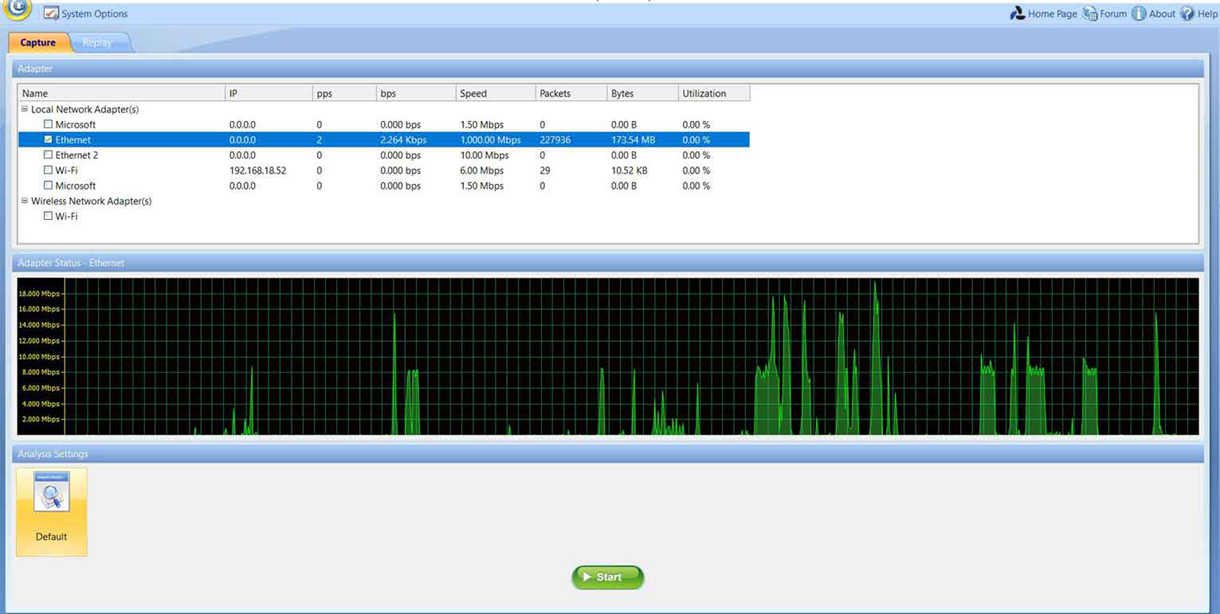
Real-time packet capture as well as the ability to save data transmitted over local networks, including wired network and wireless network like 802.11a/b/g/n.
Advanced Protocol Analysis
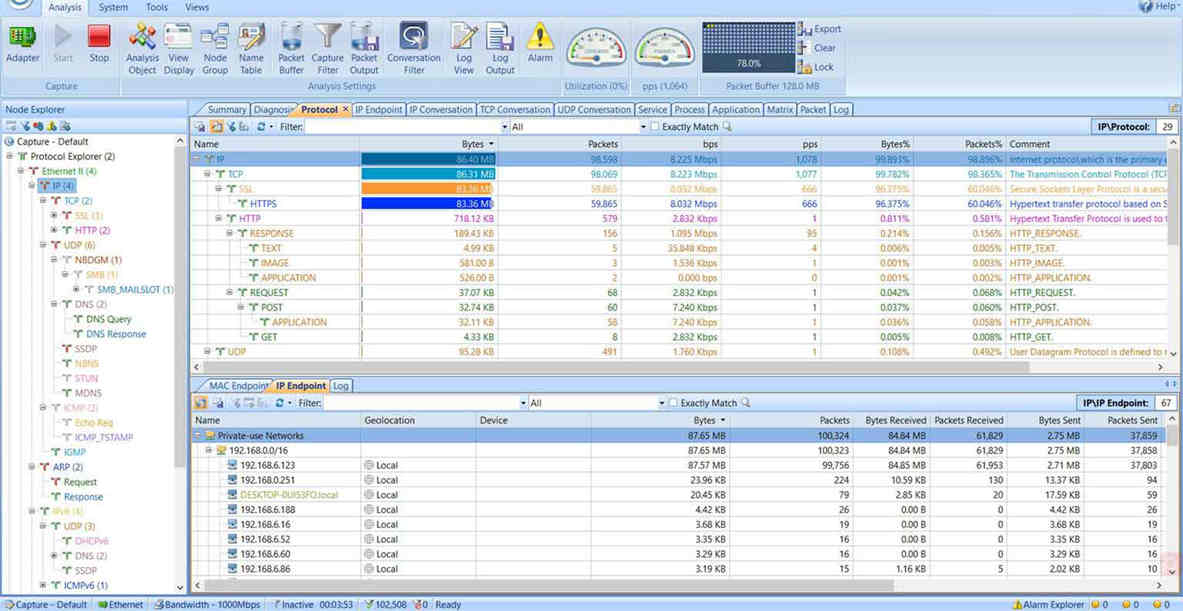
Support 1800+ protocols and sub-protocols, including VoIP, as well as network applications which are based on the protocol analysis.
User-friendly Dashboard
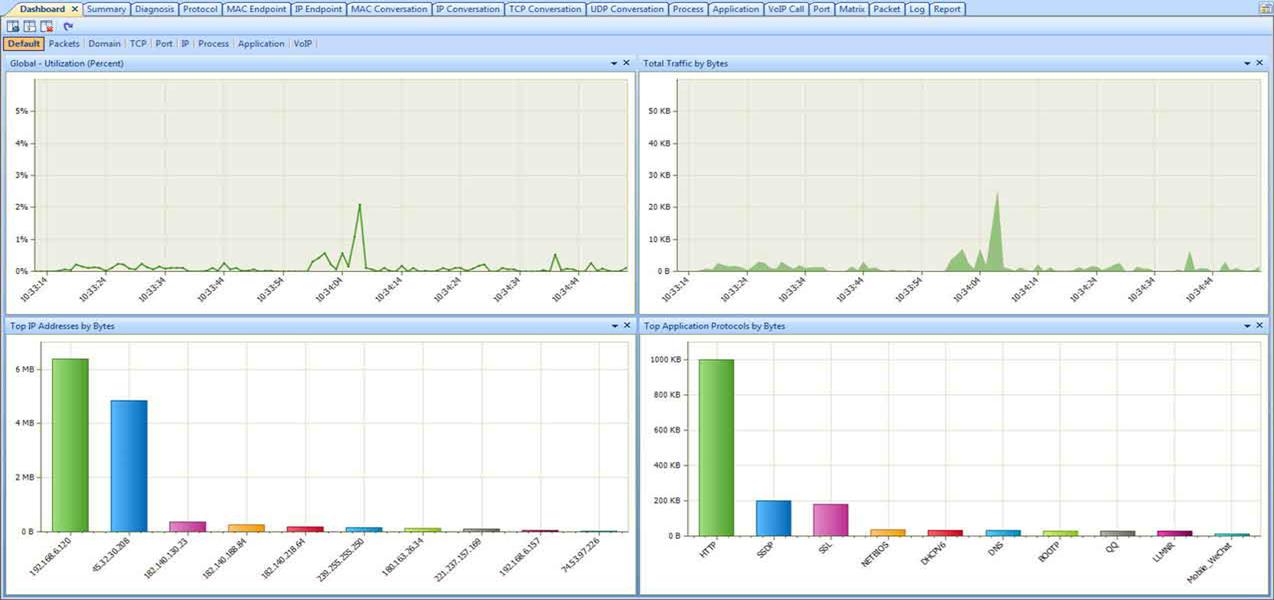
Easy to use Overview Dashboard allows you to view network statistics at a single glance, allowing for quick interpretation of network utilization data.
Multiple Network Behavior Monitoring
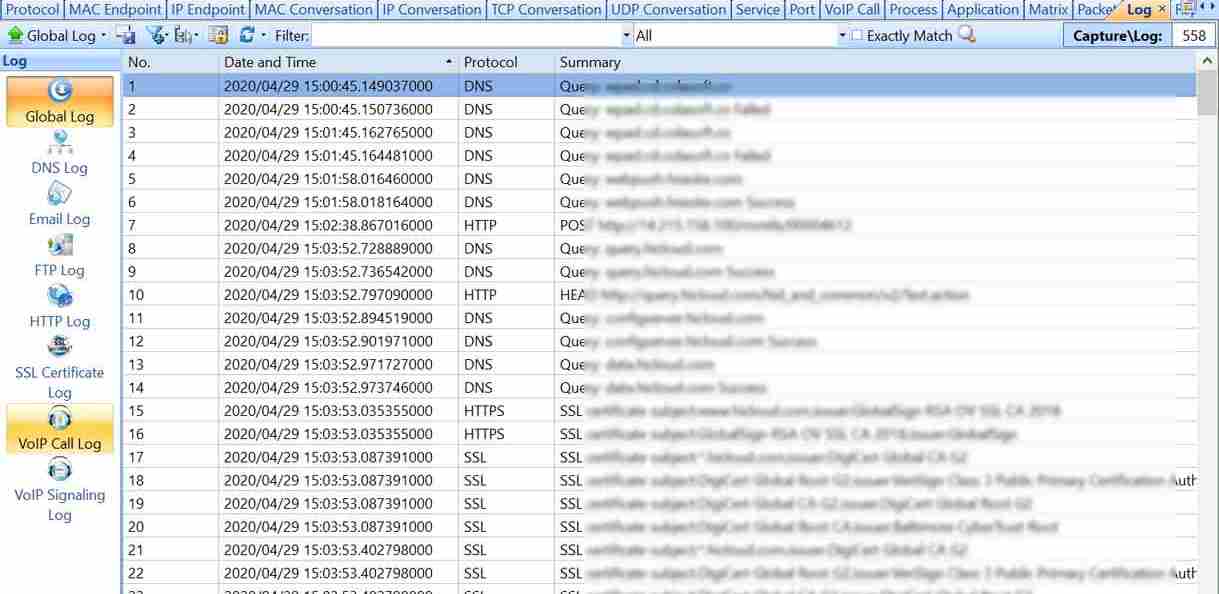
E-mail and instant messaging traffic can be monitored and stored, helping identify security and data handling violations.
Quickly Pinpointing Network Problems
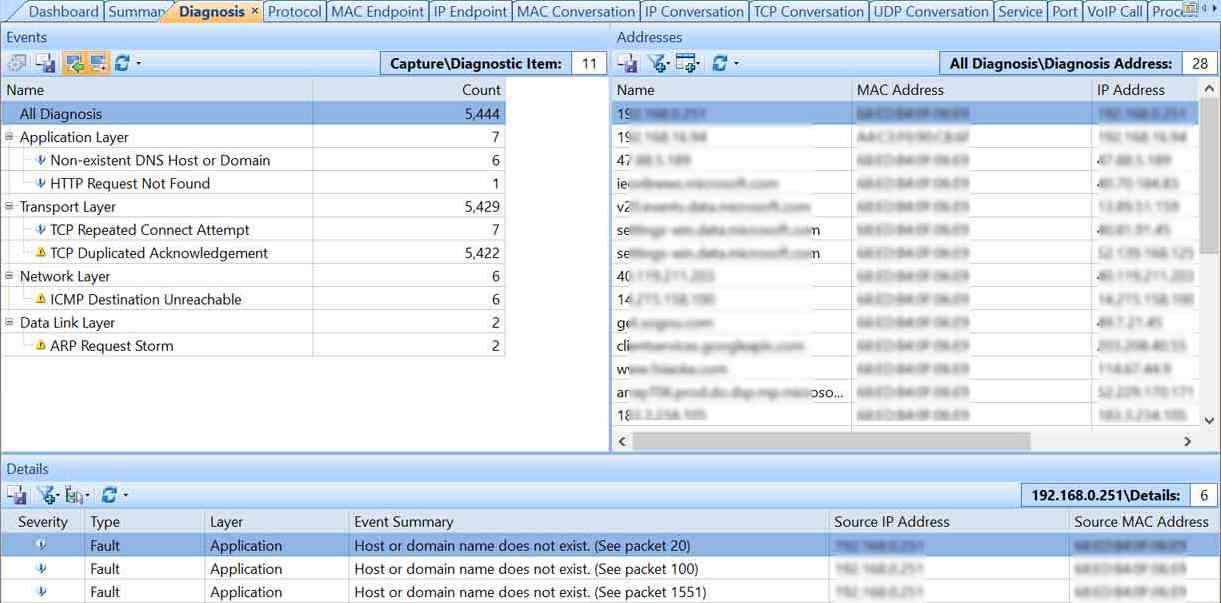
Suspicious hosts can be detected and diagnosed enabling you to pinpoint network problems in seconds.
Extensive Statistics of Each
Host
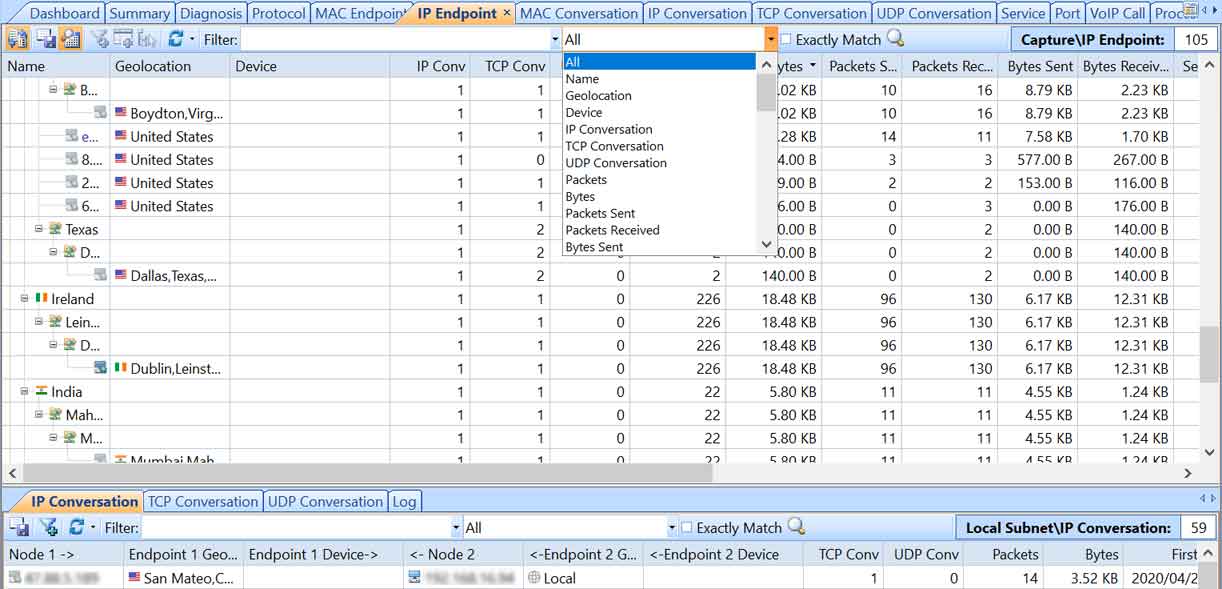
Map the traffic, IP address, and MAC of each host on the network, allowing for easy identification of each host and the traffic that passes through each.
Useful for you
VoIP Analysis
By capturing and analyzing VoIP calls and displaying results, IT staff could baseline and troubleshoot VoIP-based networks.
Notifying Alarms by Emails & Audio
By sending an emails or play sounds, when an alarm is triggered.
Task Scheduler
It helps to run packet capture and analysis at pre-defined time automatically, which can be scheduled to run one time, daily or weekly.
TCP Flow Analysis
TCP packets reveal information to troubleshoot slow network, like slow website response, CRM transactions and downloading, etc.
Network Security Analysis
Accurately detects DoS (DDoS) attack, Worm activity, ARP attack, TCP port scanning and suspicious conversation and locates the source and target in real-time.
Versatile Traffic & Bandwidth Statistics
Monitors Network traffic and Network bandwidth details in graphs and numbers.
Network Protocol Analysis
Being able to support more than 1800+ protocols, Capsa make it easy to analyze protocols in network and understand what is happening.
In-depth Packet Decoding
It captures all network packets transmitted on network and displays detailed packet decoding information in Hex, ASCII and EBCDIC.
Multiple Network Behavior Monitoring
Monitors HTTP, Email, DNS, FTP, MSN and Yahoo! Messenger.
Extensive Statistics of Each Host
Lists all hosts in network with details (traffic, IP, MAC, etc.).
Automatic Expert Network Diagnosis
Automatically diagnoses network problems and suggests solutions.
Visualized Connections in Matrix
Visualizes the entire network in an ellipse, showing connections and traffic.
Powerful Conversation Analysis
Monitors all conversations and reconstruct packet stream.
Useful & Valuable Built-in Tools
Free built-in tools to create and replay packets; scan and ping IPs.
Quick & Intuitive Report
Quickly generates reports of most concerned items.
Locate the Source of Packet Loss with Network Analyzer
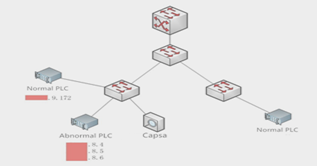
Packet loss is usually difficult to troubleshoot, we can find the source of packet loss by packet analysis and comparison... Read More >>
Analyze Network Traffic Based on Local Processes

A Process view is provided to list all local processes that have network traffic. You can sort the processes by bytes... Read More >>
How to Monitor http Traffic with Packet Sniffer

In order to monitor http traffic, we will need a packet sniffer (or a protocol analyzer) software. Here is a detail... Read More >>
How to Detect Arp Attacks & Arp Flooding

During ARP attacks, users usually experience slow communication on the network and especially when communicating... Read More >>
How to Capture Wireless
Network Traffic

The Enterprise Edition of Capsa network analyzer provides you the capability of wireless network capturing... Read More >>
How to Decrypt HTTPS Packets with Capsa

With the development of network security, HTTPS is a protocol for secure communication over a computer network... Read More >>
Document Your Network - Capsa Log View & Output

Colasoft Capsa enables you to do so with Log View and Log Output features when you are process network analysis... Read More >>
How to Detect Routing Loops and Physical Loops with a Network Analyzer

When working with medium to large scale networks, IT departments are often faced dealing with... Read More >>
How to Detect Email Worm with Colasoft Packet Sniffer

In networking, an email worm is a computer worm which can copy itself to the shared folder in system... Read More >>
Software Systems
OS:
- Windows Server 2012/2012 R2/2016/2019 (64-bit)
- Windows 7 SP1 (KB3033929) (64-bit)
- Windows 8.1 (64-bit)
- Windows 10 (64-bit)
- Windows 11 (64-bit)
Relied Browser:
- Internet Explorer 8.0 or higher
Hardware Requirements
Minimum Requirements:
- CPU: P4 2.8GHz
- RAM: 4GB
- Internet Explorer 8.0
Recommended System:
- CPU: Intel Core Duo 3.2GHz
- RAM: 8GB or more
- Internet Explorer 8.0 or higher
Supported Network
Ethernet
Capsa will run with a NDIS 3 or higher compatible Ethernet, Fast Ethernet, or Gigabit promiscuous mode network adapter. Promiscuous mode is the ability to have Capsa take over the driver and put it into a mode that will allow it to passively capture all packets on an Ethernet wire, regardless of the address to which they are being sent/received.Wireless
Colasoft has tested adapters based on Atheros, Ralink, Marvell and Intel chipsets. Other wireless cards may work with this version to the same degree that they worked in prior versions.Recommended wireless network adapters:
Atheros AR7015, AR6004, AR9380, AR9382, AR9390, AR9485, AR9462, AR958x
Intel 1000, 4965, 5100, 5150, 5300, 5350, 6200, 6250, 6300, 6350, AC 7260, 82579LM
Realtek RTL8188CU, RTL8192CU, RTL8187
Broadcom 4313GN 802.11 b/g/n
TP-Link TL-WDN3200(5.1.7.5014), TL-822N v2
D-Link DWA-160 B2(5.1.7.5014)
| Key Feature | Capsa Enterprise | Capsa Free |
|---|---|---|
| Price | Paid | Free |
| Trial Download | 30-Day Trial | Download |
| Monitors WiFi Connections |  |
No |
| IP Addresses Monitored | Unlimited | 10 |
| Session Timeout Length | Unlimited | 4 hours |
| Adapter Monitors | |
|
| Manually Save Files | |
|
| Online Auto-update | |
No |
| Run Multiple Projects | |
No |
| Support Multiple Adapters | |
No |
| Support Network TAP | |
No |
| Printing | |
No |
| Export Data | |
No |
| Log Output Function | |
No |
| Fast Speed Packet Replay | |
No |
| Process View | |
No |
| Application View | |
No |
| TCP Port Scan View | |
No |
| VoIP View | |
No |
| Save Reports | |
No |
| Diagnosis Function | |
No |
| Security Analysis Profile | |
No |
| Custom Reports | |
No |
| Packet Auto-output Function | |
No |
| Auto-Scheduling | |
No |
| ARP Attack View | |
No |
| Worm View | |
No |
| DoS Attacking View | |
No |
| DoS Attacked View | |
No |
| Suspicious Conversation View | |
No |
| Trial Download | 30-Day Trial | Download |
| Price | Paid | Free |
Introduction & Deployment
| Type | Title | Size | Play | Download |
 |
Capsa Overview | 3,462 KB |  |
 |
|
Start Page Introduction & Import Concepts | 5,023 KB | |
|
|
Capsa 7 Main User Interface Introduction | 11,097 KB | |
|
|
How to Deploy Colasoft Capsa | 1,281 KB | |
|
Troubleshooting
| Type | Title | Size | Play | Download |
|
How to Detect a SQL Slammer | 6,154 KB | |
|
|
How to Detect ARP Attacks | 8,227 KB | |
|
|
How to Detect Network Loop | 4,949 KB | |
|
|
How to Find Out MAC Flooding Attack | 5,808 KB | |
|
|
How to Find Top Talkers in Network | 4,783 KB | |
|
|
Track Down Bittorrent Protocol | 1,432 KB | |
|
|
Find out top 10 network traffic hosts | 1,499 KB | |
|
|
Monitor realtime network utilization | 1,745 KB | |
|
|
Quick detect ARP poisoning & ARP flooding | 1,841 KB | |
|
Getting Started
| Type | Title | Size | Play | Download |
|
How to Create a Filter | 4,066 KB | |
|
|
How to Create a Graph | 6,230 KB | |
|
|
How to Customize Protocols | 4,987 KB | |
|
|
How to Use Alarms | 6,614 KB | |
|
|
How to Log Web Visits | 8,783 KB | |
|
|
How to Monitor & Save Emails | 4,411 KB | |
|
|
Start Page Introduction & Import Concepts | 5,023 KB | |
|
|
Send Alarm Notifications by Email | 4.52 MB | |
|
|
Monitor Email Content | 2,076 KB | |
|
|
Network Traffic Monitor | 3,005 KB | |
|