Home   |  Products   |  Download   |  Purchase   |  Support   |  Resources   |  Company   |  Contacts   |  Service   |  Forum    
Colasoft Capsa
        Overview
     Features
        Edition Differences
        Updates
        System Requirements
        How to
        Case Studies
        Awards
        User Testimonials
        End-User License Agreement
  Product Help
        View Online
        Download File
  Documentation
         User Manual
         Datasheet
         Technical Specification
         Getting Started
         Whitepaper
Colasoft Products
    Colasoft Capsa
    Colasoft MAC Scanner
    Colasoft MSN Monitor
    Colasoft Etherlook
    Colasoft IM Monitor
    Colasoft Packet Builder
    Colasoft Packet Player
    Colasoft Ping Tool

Feedback

Pre-Sales Toll Free:
888 - 467 - 2634(USA)
Features

For Colasoft Capsa you can get an easy use but advanced network traffic monitoring, protocol analysis and diagnosis view software. It is a specialist to help you solve LAN troubles.

Log - Instant Messenger Activities

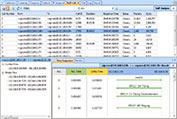
In Colasoft Capsa 6.5, a new analyzer module is added, that is the Instant Messenger Analyzer. With this newly added IM analyzer module, you can monitor real-time information of the activities of four most popular instant messengers: MSN, AIM, ICQ and Yahoo Messenger.

Packet Builder

Colasoft Packet Builder is a unique and useful tool for users to build own custom packets and send packets to wire. Users can not only create packets with the predefined templates but also can edit the packets decode both in ASCII and Hex code and the decoding information.

Analyzer

The Analyzer page list the advanced analyzers, all of them are enabled in default. To reduce resource occupation and improve the global efficiency, users can close a analyzer by uncheck the box before it to get more clear view of the analysis results.

Tools  

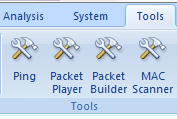
In addition to the Packet Builder, Colasoft Capsa provides other free tools for users - Ping tool, MAC Address Scanner and Packet Player. Users can customize to add other Windows applications and tools into Colasoft Capsa with the External Tools.

Send packet
The send packet tool in Colasoft Capsa let users to send the captured packets quickly. Users can select one or more packets and define sending parameters, such as the adapter which packets sending from if there are more than one on machine and loops times.


MSDI interface
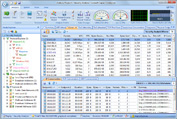
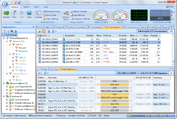
Colasoft Capsa provides multiple windows, enabling you to switch among multiple project views conveniently and easily.
Reports
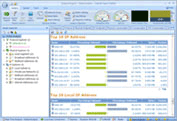
This view will display the reports of global or a specific group, containing the information of summary, protocols, top 10 addresses and all available graphs. Besides the defined statistic reports, you can customize the statistic information you interested in.

Matrix view
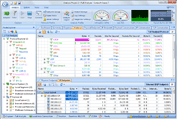
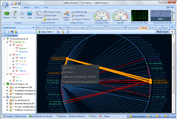
The Matrix view includes individual tools to customize the display types of network traffic, letting you quickly create a picture of all the traffic or sending/receiving traffic.

Network diagnosis
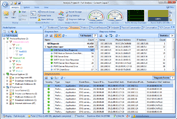
From the Diagnoses view, you are not only able to see the event count by network layer, but also know event-related information such as source, destination, packet number, etc.

Conversations view
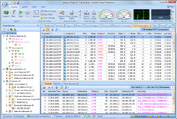
The Conversations view dynamically presents the real-time status of Physical, IP, TCP and UDP conversations between pairs of endpoints, the sub-views offer the related packets and reconstructed stream the active conversation.

Real-time packet decoding
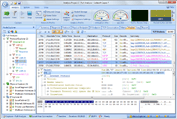
Instantly decodes captured packets and displays detailed decode information in Hex, ASCII or EBCDIC.

Analysis logs
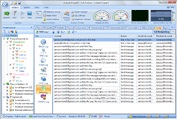
Presents the records of network communications analyzed by advanced analyzers, including email messages log, FTP transfers log, HTTP requests log and DNS analysis log.

Graphs
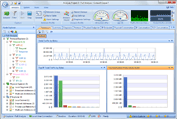
Graphically display the statistic information of global network or specific network nodes, providing multiple charts and display options. The unique compare mode lets you view two different graphs simultaneously.
Summary statistics
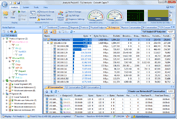
Provides general statistic information, including start date/time, general errors, 802.3 errors, traffic, packet size distribution, and many other statistics analyzed by multiple analyzers.

Protocols statistics

Provides the statistics of protocols and sub-protocols used by network communications.

Flexible project explorer

Includes protocol explorer group, physical explorer group and IP explorer group, letting you view the current status of each node and quickly switch among global statistics and the details of specific network nodes.
Advanced filters
In addition to make simple filters by address, port and protocol, the advanced filters in Colasoft Capsa also allow you to create packet value filters, packet size filters and packet pattern filers based on the logical rules of And, Or and Not.

Statistics of error packets
Colasoft Capsa offers the statistics of error packets, including physical error packets, 802.3 error packets and normal packets.

Summary snapshots
As a means to protect data, the summary snapshots represent the network state and are helpful for future network analysis.

Statistics of network utilization
Colasoft Capsa offers the statistics of network utilization both in percentage and graphic way.
Project status
Offers the general statistic information of filters, error packets, captured packets, buffer usage and more.

Name table
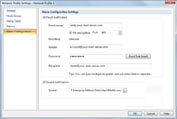
You can create alias for IP addresses, physical addresses or TCP-UDP ports, resolve IP addresses or host name, set color, and do many other operations in the name table.
Loopback IP packets
Colasoft Capsa can capture the IP packets sent/received within the local host.
Print and print preview
You can print the data selected and have a preview for the print effect before printing.


Copyright © 2008 Colasoft Co., Ltd. All rights reserved.
Colasoft, Capsa and Colasoft logos are registered trademarks of Colasoft Co., Ltd. Sniffer is a registered trademark of Network General Corporation. All other names are trademarks or registered trademarks of their respective owners.
Terms of Use |  Privacy Statement |  Feedback |  Contacts |  Links |  Sitemap