
Chapter 4 - Connect to nChronos Server from nChronos Console
Before heading into this lesson, please make sure you fully understand these questions. If not, you are recommended to go back to take a look at last lesson again, or you can email us for help with your specific need.
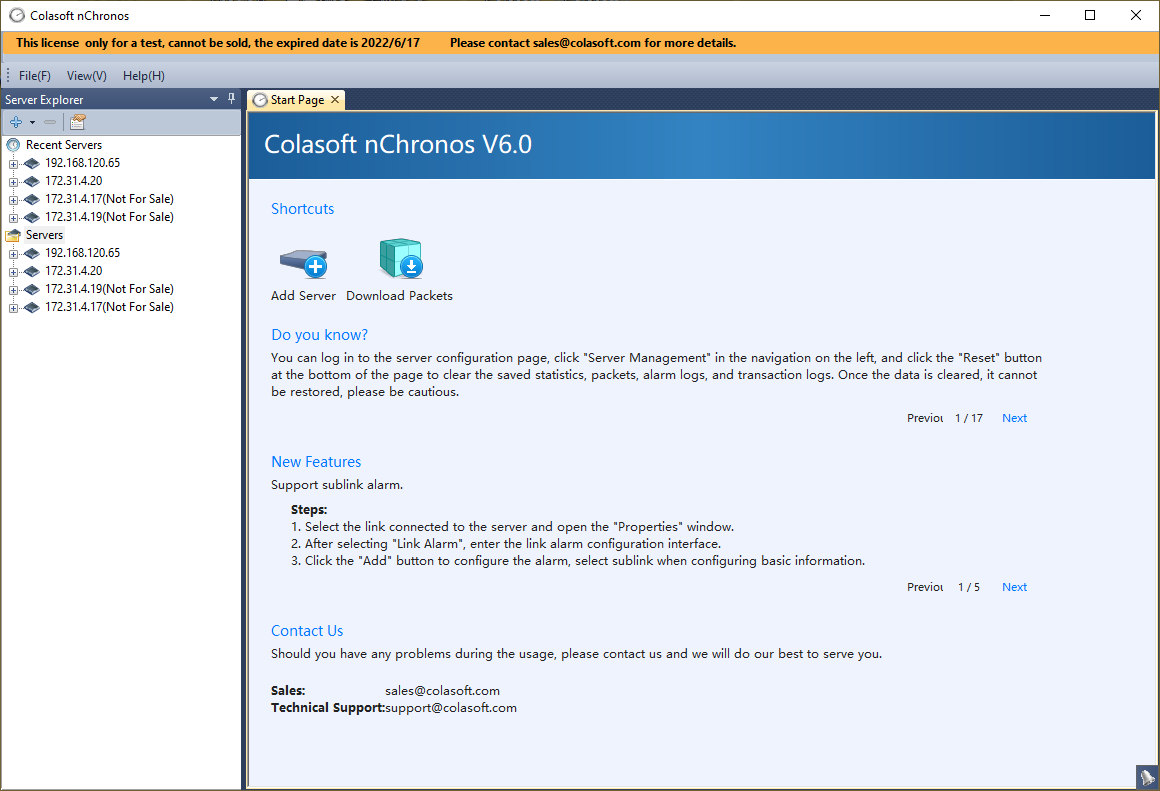
From this lesson on we will move to the nChronos Console. The nChronos Console is a software component that we use to monitor and analyze the network performance. The nChronos Console is able to interactive with the server, such as retrieving analysis, download packets from the server, etc.
Colasoft nChronos Server Network Connection Setup
We can install nChronos Server on a virtual machine if we just want to know how it works. But that is not how it is designed, and this will limit its performance. We would highly recommend you to install the nChronos Server on a real server machine. Also after the deployment, please make sure that they are able to communicate with each other.
- Both the server and console machines can communicate on the network. Note that if you use nChronos server to capture packets from a switch's mirror port, your server might not be able to communicate on the network. If that's the case you need to add an additional network card and connect it to a normal port of the switch to communicate with nChronos console.
- The firewall on the server needs add the TCP port number that the console can use to connect to the server. The default port number is TCP #3000. Please follow the guidance to add the port to the server.
Then we can use nChronos console to start our first connection with nChronos server. Run nChronos Console and follow the instructions bellow to establish a connection with the server.
- Double-click nChronos Console icon on the desktop, to start nChronos Console, click Start > All Programs > Colasoft nChronos Console V6.0 > Colasoft nChronos Console V6.0 (x64).
- On the Server Explorer, click Servers, then click
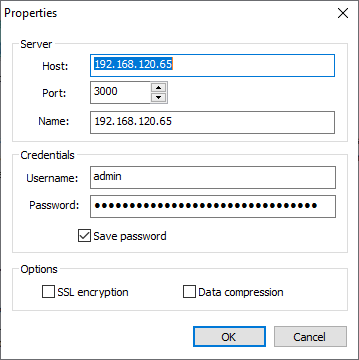
 and click Add Server; the Add Server dialog box appears.
 - Enter the IP address of nChronos Server and type the username and password.
- Click OK after completing the Add Server dialog box. Then the added Server will display on the Server Explorer.
- To connect to nChronos Server, right-click the server name and click Connect.
Cannot connect to nChronos server from nChronos console?
If we have followed nChronos Server Network Connection Setup to make sure the server is connected to the network we should be able to connect to the server successfully. But if it turns out to be any error while trying to connect to the server, we can do the following step to troubleshoot the connectivity.
- Make sure that you are using the right username and password.
- On your console machine, please check if you can get response when ping to nChronos Server. If not, please make sure that both your console machine and your server machine are connected to the network.
- If you can get response from the ping, please check if your nChronos service is still running on the server side with command: service csrass status
- If the nChronos service is not running, please start the service with command: service csrass start
- If the nChronos service is running, please check if you enable the port number 3000 of the firewall on the server. If not, please follow the guidance to enable the port.